
The ability to remotely enable and disable field test instruments in case of theft, loss, or unauthorized use is essential to protect your investment and maintain reduced costs. This is especially important for rental companies and contractors, where instruments pass through many hands.
VIAVI offers an anti-theft solution that allows instrument owners to enable and disable them via software, so that only authorized users can use them.
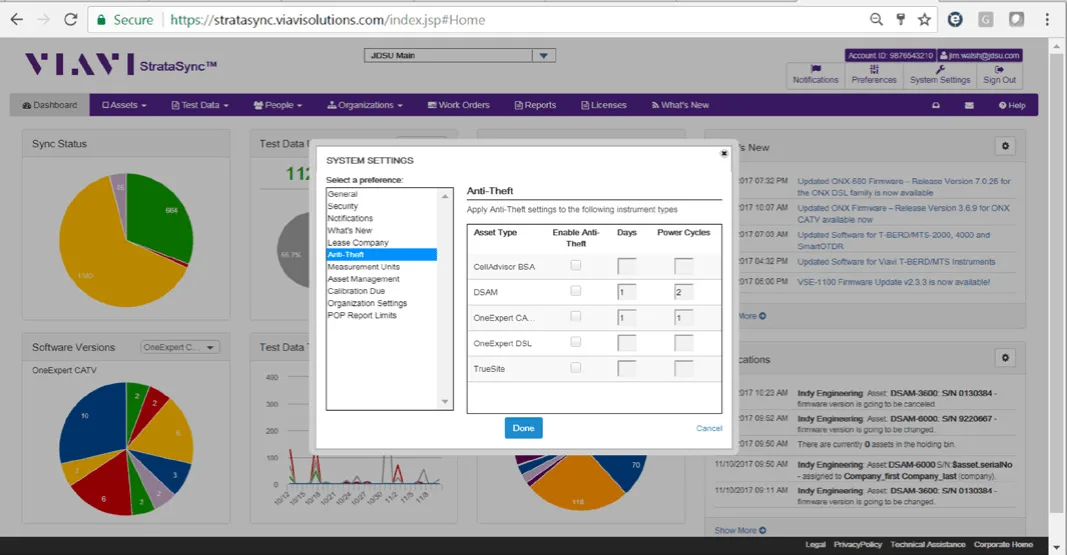
VIAVI StrataSync™ Core allows customers to enable and disable an “anti-theft” mode. Once the anti-theft function is enabled and the instrument syncs with StrataSync, the anti-theft settings are transmitted to the instrument and cannot be overwritten without authorization from the StrataSync account owner. With StrataSync, the account owner can authorize instrument use by configuring the following elements:
- Number of days between synchronizations
- Number of power-on cycles without StrataSync synchronization
Example practical case
- The account owner enables "anti-theft" mode in StrataSync and sets a number of days or power-on cycles for specific units or all units in the account.
- The anti-theft function is enabled at the next synchronization with StrataSync.
- If the unit does not synchronize within the set period or number of power-on cycles, the instrument is locked.
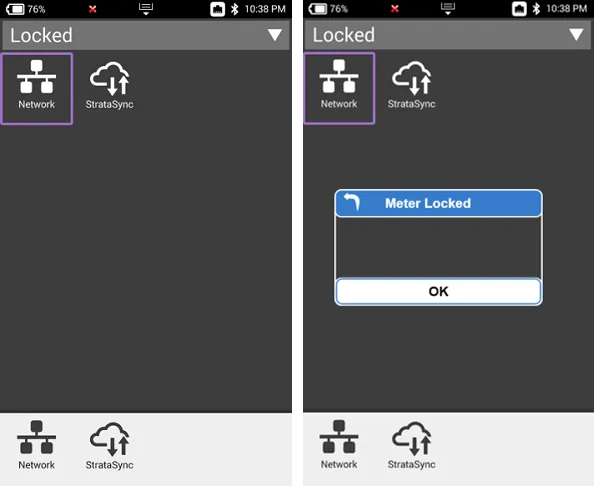
- The first time the user powers on after enabling the lock, a "Meter Locked" pop-up window appears.
- The user must click "OK" in the pop-up window.
- The only functions that can be accessed are the option to establish a network connection and the option to synchronize with StrataSync.
- The user can edit the StrataSync settings to continue using the meter, unless the StrataSync administrator has set the unit status to "Stolen or Lost"
Currently, the anti-theft function is compatible with the following instruments:
- CellAdvisor™ Base Station Analyzer
- CellAdvisor RF Analyzer
- CellAdvisor Signal Analyzer
- CellAdvisor Cable and Antenna Analyzer
- ONX-CATV
- ONX-DSL
- DSAM
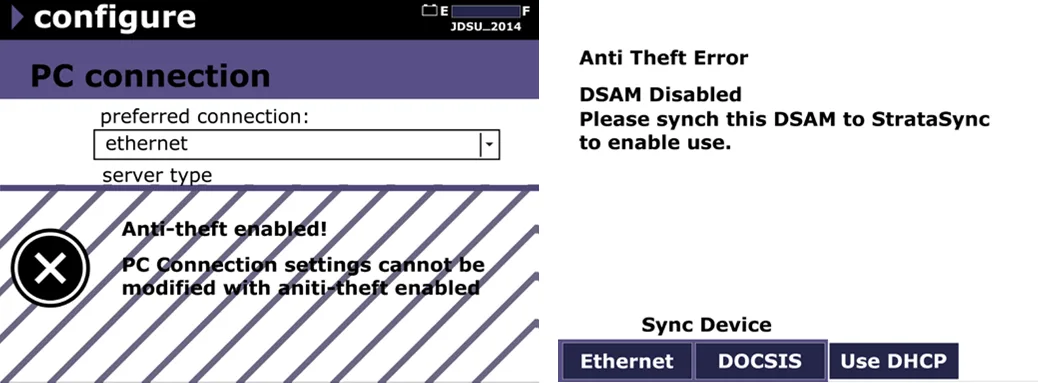 Protect your investment with VIAVI StrataSync.